Fleet Management
Trips & dispatch
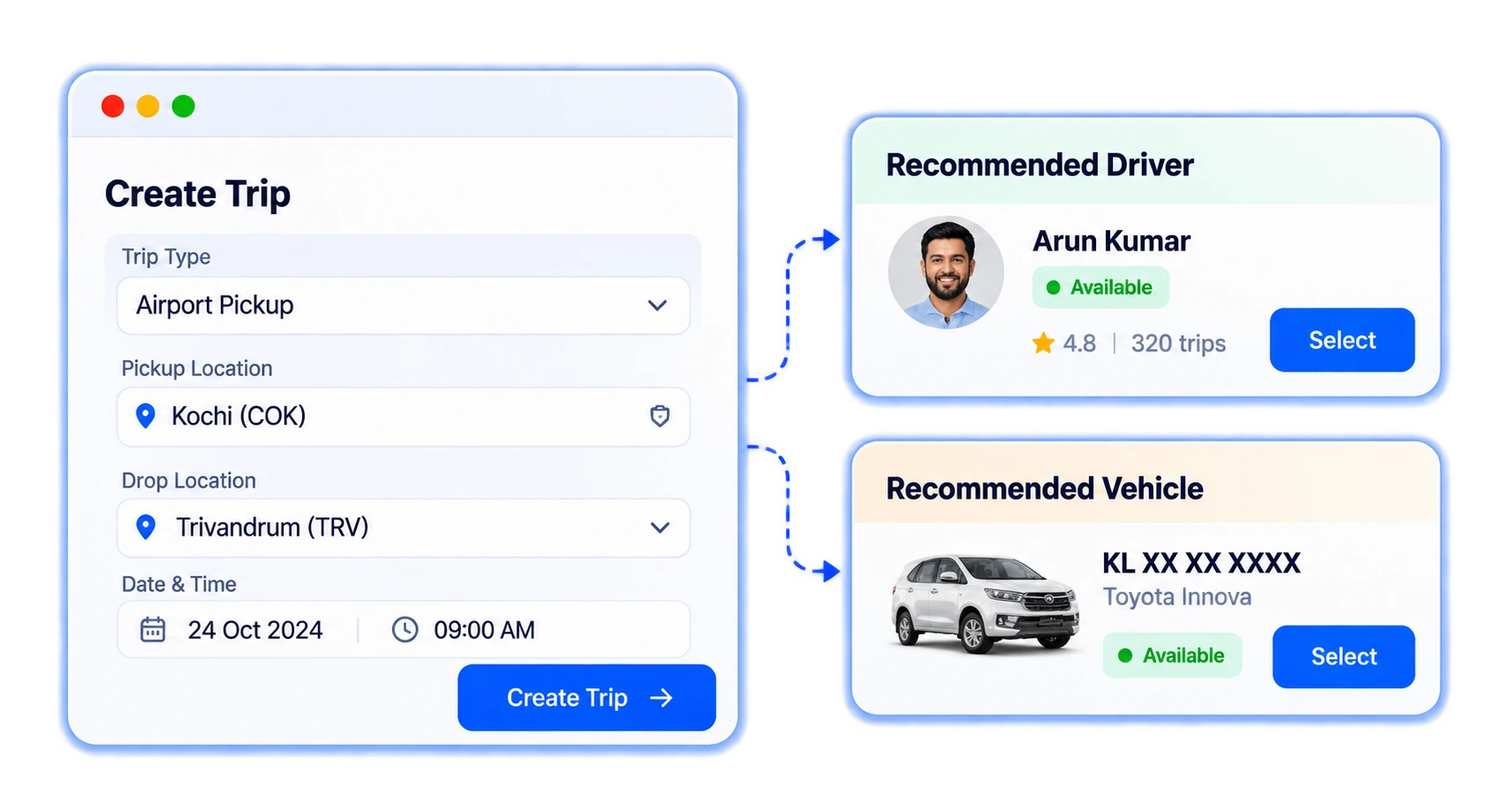
Create trips, allocate drivers and vehicles with availability checks, and confirm via Driver App or WhatsApp accept/reject—human-in-the-loop dispatch, not auto nearest-vehicle.
Key capabilities
- Trip types: one-way, round-trip, and full-day
- Stops: pickup, drop, and waypoint
- Allocate with conflict and candidate availability checks
- Driver accept/reject in the Driver App and WhatsApp
- Unassigned trip reminders for ops follow-up
Workflow
- Create trip
- Check availability
- Allocate
- Driver accepts
- Execute
- Complete
How trips & dispatch works in DriveOps
DriveOps dispatch removes the chaos of verbal assignments. Create trips (one-way, round-trip, full-day, with stops), allocate with candidate and conflict checks, and let drivers accept or reject on the Driver App or WhatsApp.
Allocate with Checks
Candidate and conflict checks help avoid double-booking drivers or vehicles.
WhatsApp Assignment
Send assignment messages with accept/reject actions through ChatServe WhatsApp flows.
Driver App Workflow
Drivers handle duty, trips, navigation, and trip sheets on mobile (English, Malayalam, Hindi).
Recurring Schedules
Support daily, weekly, and monthly recurring trips with automatic materialization.
Frequently asked questions
How does taxi dispatch work in DriveOps?
Ops create trips, run allocation with availability/conflict checks, and assign. Drivers accept or reject via the Driver App or WhatsApp. There is no nearest-vehicle auto-dispatch algorithm claim.
Can I manage corporate and retail trips?
Yes. Trip types include one-way, round-trip, and full-day, with stops and customer tracking links after confirmation.
Does dispatch use route optimization?
No. Drivers get navigation support in the app. DriveOps does not claim route optimization or intelligent routing products.
Ready to try DriveOps?
Start a free trial or book a demo with the sales team.