Fleet Management
Live fleet
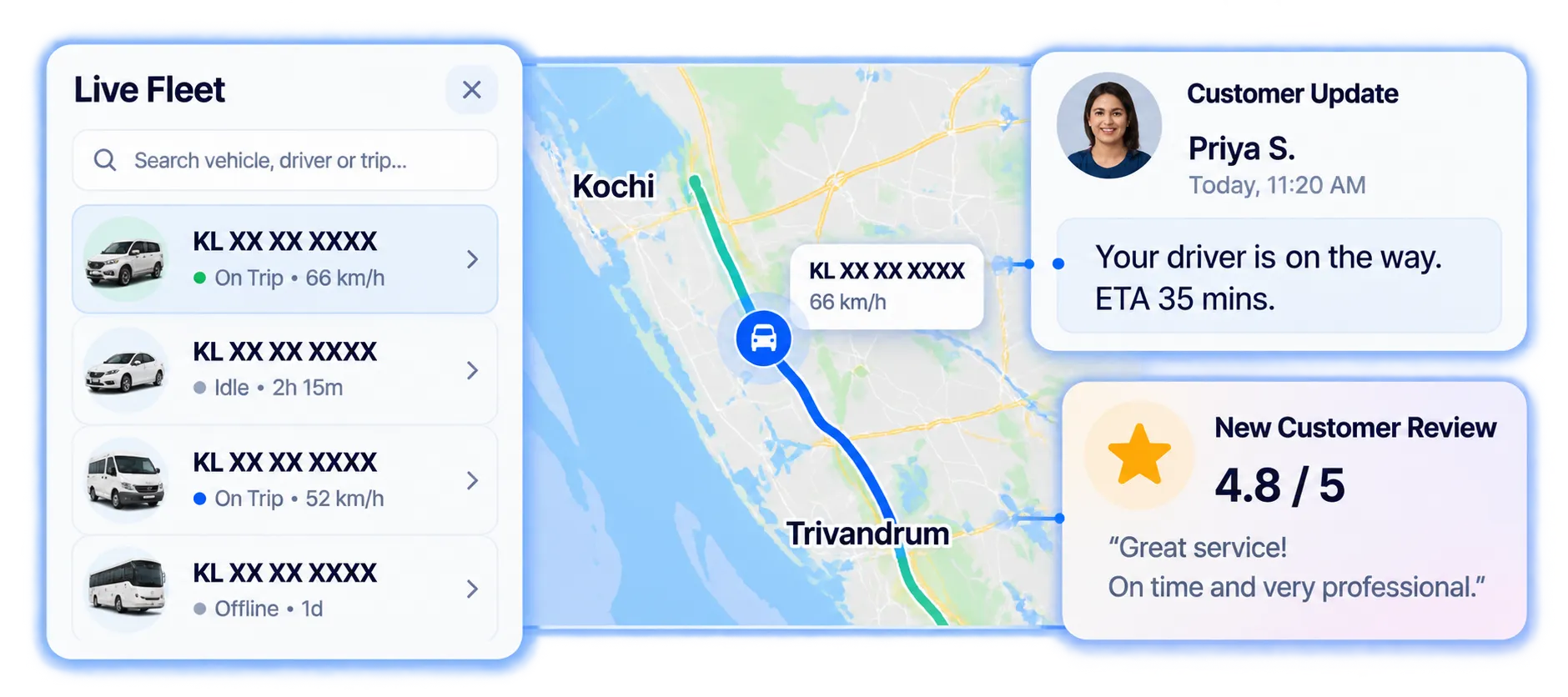
See active vehicles on the ops map fed by Driver App GPS, and share secure customer tracking links for live trip updates.
Key capabilities
- Ops live fleet map (Mapbox) from driver-app GPS
- Customer trip tracking via secure link with live updates
- Phone-based GPS—not hardware telematics trackers
- Visibility for active trips while drivers are on the road
How live fleet works in DriveOps
DriveOps shows where your fleet is during active trips using GPS from the Driver App. Operators get a live Mapbox map with poll and WebSocket updates. Customers get a secure tracking link—without buying proprietary GPS boxes.
Live Operations Map
View active trip vehicles on an interactive Mapbox map in the ops console.
Driver App GPS
Locations come from the driver mobile app while on duty—no hardware telematics devices required.
Customer Tracking Links
Share a secure link so passengers can follow trip progress with live updates.
Poll + WebSocket Updates
Ops and customer views refresh via REST polling and WebSocket—not a separate hardware stream.
Frequently asked questions
How does fleet tracking work in DriveOps?
While drivers are on duty, the Driver App sends GPS updates. The ops live fleet map (Mapbox) shows those positions. Customers can follow a trip via a secure tracking link.
Does DriveOps require external GPS hardware?
No. Tracking is designed around the Driver App. DriveOps does not sell or require hardware GPS trackers.
Can customers see the vehicle live?
Yes. After a trip is confirmed, customers can receive a tracking URL (typically via WhatsApp) to follow the trip.
Ready to try DriveOps?
Start a free trial or book a demo with the sales team.